



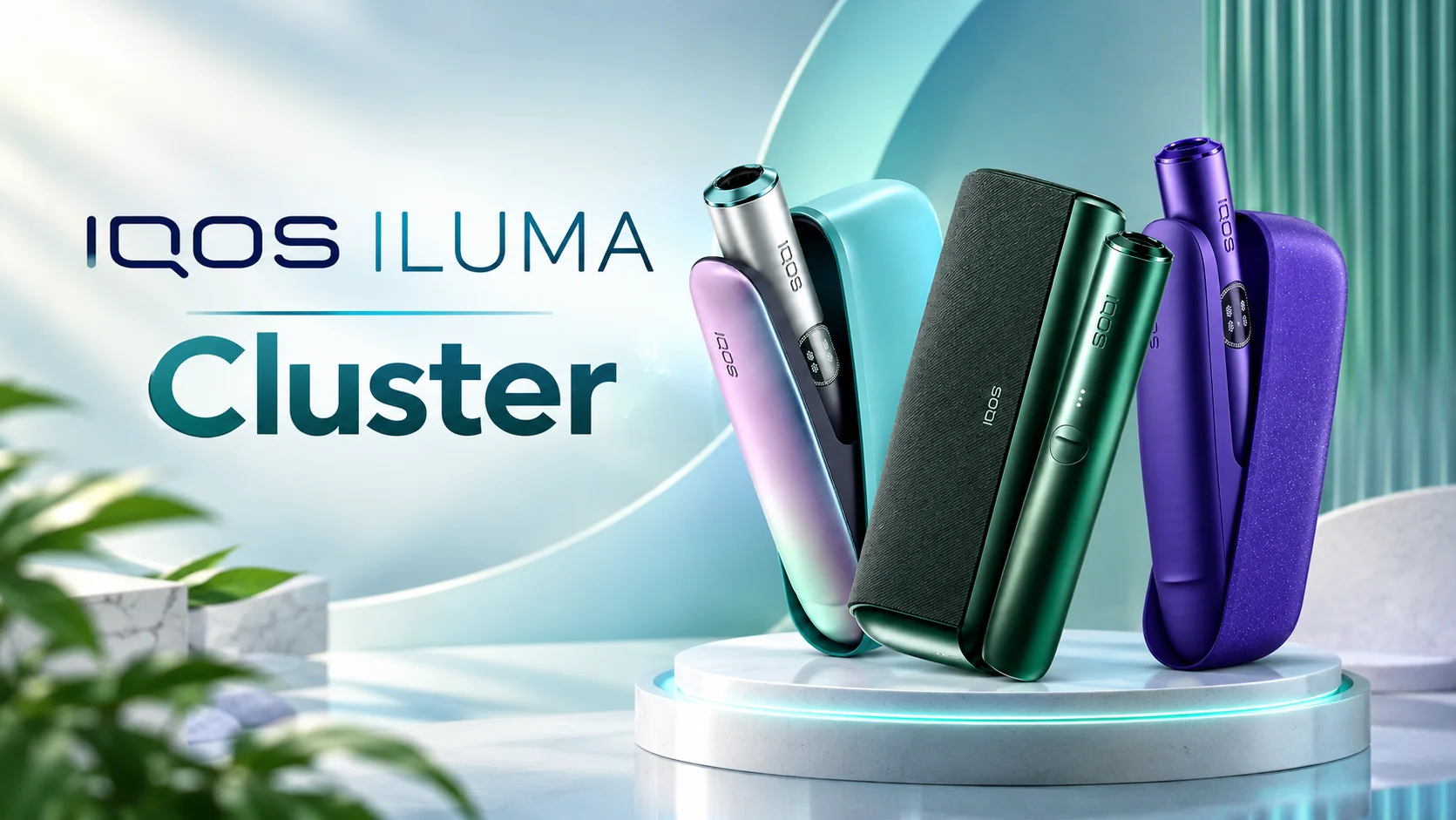
IQOS ILUMA is a heated tobacco device range designed for adult users who want an alternative to conventional cigarettes. Unlike traditional cigarettes, which burn tobacco, IQOS ILUMA uses an induction-based heating system with compatible tobacco sticks. The range includes several models with different designs, charging arrangements, and portability features.
This complete guide explains the main IQOS ILUMA models, TEREA compatibility, charging instructions, everyday use, common troubleshooting steps, and essential care tips. Whether you are comparing devices or trying to understand an existing model, these details can help you use the correct accessories and identify common problems.
What Is IQOS ILUMA?
IQOS ILUMA is a family of heated tobacco devices that uses the SMARTCORE INDUCTION SYSTEM. Instead of relying on a conventional exposed heating blade, the device heats a specially designed compatible stick through induction technology.
One of the main differences between IQOS ILUMA and earlier IQOS generations is its consumable compatibility. IQOS ILUMA devices are designed for compatible TEREA SMARTCORE sticks and should not be used with HEETS sticks intended for older devices.
The system is designed to provide a controlled heating experience without the conventional burning process. However, heated tobacco is not risk-free. It delivers nicotine, which is addictive, and it is intended for adults who already use tobacco or nicotine products.
Main IQOS ILUMA Models Explained
The IQOS ILUMA family includes several models. The best option depends on whether you prefer a compact all-in-one device, a separate holder and charger, or a more premium design.
1. IQOS ILUMA ONE
IQOS ILUMA ONE combines the holder and battery into a single compact unit. This design makes it convenient to carry because users do not need to manage a separate holder and pocket charger.
Key features:
- Compact, all-in-one design
- Induction heating technology
- Compatible TEREA SMARTCORE sticks
- Integrated rechargeable battery
- Convenient for travel and everyday portability
The ILUMA ONE may suit adults who prefer a straightforward device with fewer separate components. Exact battery performance and charging time depend on the model and its condition.
2. IQOS ILUMA
The standard IQOS ILUMA uses a separate holder and pocket charger. The holder is used for an individual tobacco session, while the pocket charger stores and recharges it between uses.
Key features:
- Separate holder and pocket charger
- Induction-based heating
- Status lights for battery information
- Compatibility with TEREA sticks
- A design intended for repeated daily use
This configuration can be useful for people who want a separate holder that can be returned to the charger after each session.
3. IQOS ILUMA PRIME
IQOS ILUMA PRIME is a premium version of the original ILUMA design. It uses the same general induction-heating approach but features a more distinctive exterior and premium styling.
Key features:
- Premium device design
- Separate holder and pocket charger
- Induction heating technology
- TEREA stick compatibility
- Rechargeable battery system
The PRIME model is primarily differentiated by its design and finish rather than a completely different heating method.
4. IQOS ILUMA i Range
The IQOS ILUMA i family introduces newer device variations, including IQOS ILUMA i, IQOS ILUMA i PRIME, and IQOS ILUMA i ONE. Features vary by model and market.
Depending on the specific version, the range may offer updated controls, display features, or additional session-management functions. Not every feature is available on every device, so check the exact model name before purchasing accessories or following setup instructions.
How to Choose the Right Model
When comparing models, consider portability, charging convenience, design, available features, and local warranty support. The ILUMA ONE is an integrated option, while the standard ILUMA and PRIME use a separate holder and pocket charger. The ILUMA i family offers newer variations with model-specific features.
Always verify the product name on the packaging because similarly named devices can have different controls, accessories, and charging instructions.
Understanding TEREA Tobacco Sticks
TEREA sticks are specially designed consumables for compatible IQOS ILUMA devices. They contain tobacco and are built for the device’s induction-heating system.
Why TEREA Is Different
TEREA sticks contain a specially designed internal metal heating element. The ILUMA device uses induction technology to heat the stick without the traditional exposed heating blade found in some older IQOS models.
This design also means that TEREA sticks are not interchangeable with every IQOS consumable.
Important compatibility rules:
- Use new, compatible TEREA sticks with IQOS ILUMA devices.
- Do not use HEETS sticks intended for older IQOS generations.
- Do not use TEREA sticks in older blade-based devices.
- Never reuse a stick after a session.
- Never dismantle or ingest a TEREA stick because it contains a metal component that can cause serious injury if swallowed.
TEREA Flavours and Variations
TEREA is available in different flavour profiles depending on the country and product range. Options may include tobacco-forward, menthol-style, cooling, and aromatic blends.
Names and availability vary by market. A flavour sold in one country may not be available in another, and packaging can differ between regional editions. Check the label and local product information to identify the exact variant.
TEREA products contain tobacco and may deliver addictive nicotine. Flavour differences do not make them risk-free.
How to Use an IQOS ILUMA Device
Before using a device for the first time, read the instructions for your exact model and charge it with a compatible power adapter and cable.
Step 1: Charge the Device
Connect the pocket charger or all-in-one device to a suitable power source using approved or manufacturer-recommended charging accessories. Wait until the battery indicator shows an adequate charge.
Step 2: Prepare the Holder
For models with a separate holder, remove it from the pocket charger. Check that the holder is dry and undamaged.
Step 3: Insert a TEREA Stick
Insert a new, compatible TEREA stick in the direction indicated by the device instructions. Do not force it into the holder or twist it unnecessarily.
Step 4: Start the Session
Depending on the model, heating may begin automatically when the stick is inserted, or you may need to use the device’s button. Follow the instructions for your specific version and pay attention to the status lights or vibrations.
Step 5: Finish and Recharge
When the session ends, remove the used stick carefully and dispose of it according to local waste rules. Allow the stick to cool before handling it further. Return the holder to the pocket charger if your model uses one.
Do not light a TEREA stick with a flame or reuse it for another session.
IQOS ILUMA Charging Guide
Correct charging helps maintain reliable operation and battery performance. Charging time differs across models, power adapters, cable types, battery condition, and regional versions.
How to Charge IQOS ILUMA
- Use the compatible charging cable and a suitable power adapter.
- Connect the charger to a reliable power source.
- Place the holder correctly in the pocket charger if you own a two-piece model.
- Check the indicator lights to monitor charging progress.
- Disconnect the device when charging is complete, following the instructions supplied with your model.
If the battery is completely depleted, the device may need some time connected to power before the lights appear. Avoid assuming that it is broken immediately.
Why Is My IQOS ILUMA Charging Slowly?
Several factors can affect charging speed:
- Low battery: A fully depleted battery may take time to respond.
- Unsuitable adapter: An incompatible or low-quality adapter may affect charging.
- Dirty contacts: Dust or residue on the holder and charger contacts can interfere with charging.
- Temperature: Very hot or cold conditions can prevent normal operation.
- Battery wear: An ageing battery may not hold a charge as effectively.
Use a dry, soft cloth to clean accessible contacts gently. Do not insert metal objects into charging ports or attempt to open the device.
IQOS ILUMA Troubleshooting: Common Problems and Fixes
1. IQOS ILUMA Is Not Turning On
First, connect the device to a suitable charger and allow it to charge. Check for visible damage and inspect the cable and adapter. If it remains unresponsive after charging, follow the reset instructions for your exact model.
Do not attempt to disassemble the device or replace its internal battery yourself.
2. IQOS ILUMA Is Not Heating
If the device does not start when a stick is inserted, check that the stick is a new, compatible TEREA product. Make sure it is inserted in the correct direction and to the indicated depth.
A used stick may not produce a normal session. If the problem continues with a new stick, check the battery level and device indicators.
3. AutoStart Is Not Working
AutoStart behaviour depends on the device model and its settings. Confirm that the feature is supported and enabled, insert the TEREA stick correctly, and check the battery status.
If the device still fails to activate, use the model-specific reset procedure. Some versions also allow manual activation through a button.
4. IQOS ILUMA Lights Are Flashing
Flashing lights can indicate a low battery, a temperature issue, a charging problem, or another device status.
Check the user guide for the exact light pattern. If the device is too hot or too cold, allow it to return to its recommended operating temperature before trying again. Do not continue using a device that is overheating or visibly damaged.
5. Resetting an IQOS ILUMA Device
For many two-piece ILUMA models, a reset is performed by placing the holder in the pocket charger and holding the charger button for approximately 10 seconds, until the lights change. The light pattern then confirms whether the reset has completed.
Reset procedures can vary between models, so check your model’s official instructions before proceeding. A reset may resolve temporary software or activation problems, but it will not repair physical damage or a failing battery.
6. TEREA Stick Does Not Fit Properly
Never force a stick into the holder. Check that you have the correct product and that the stick is not bent or damaged. Store unopened packs in a suitable environment, away from excessive moisture or dryness.
If multiple new sticks fail to fit correctly, stop using the device and seek qualified support.
Tips for Maintaining Your IQOS ILUMA
Good care can help keep your device in suitable working condition.
- Charge it using compatible accessories.
- Keep the exterior and accessible charging contacts clean and dry.
- Avoid exposing it to excessive heat, cold, or moisture.
- Do not drop, puncture, open, or modify the device.
- Keep TEREA sticks in their original packaging until use.
- Follow the manufacturer’s instructions for storage and handling.
- Contact authorised support if the device repeatedly fails, overheats, or shows signs of damage.
Unlike some earlier IQOS devices, ILUMA uses a blade-free induction system, so routine cleaning of a conventional heating blade is not required. Do not insert cleaning tools or other objects into the holder.
Frequently Asked Questions About IQOS ILUMA
Can IQOS ILUMA Use HEETS?
No. IQOS ILUMA is designed for compatible TEREA SMARTCORE sticks. HEETS sticks intended for older devices are not compatible and may cause problems.
How Long Does IQOS ILUMA Take to Charge?
Charging time depends on the model, adapter, cable, and battery condition. Follow the instructions for your device rather than relying on a single charging-time estimate for the entire ILUMA range.
Can I Use TEREA Twice?
No. TEREA sticks are single-use products. Reusing them will not provide a normal session and is not recommended.
Why Does My IQOS ILUMA Stop Working in Cold or Hot Weather?
Battery-powered electronics may restrict operation outside their recommended temperature range. Allow the device to return to the temperature specified in its user guide before trying again.
Does IQOS ILUMA Need Regular Cleaning?
It does not require conventional blade cleaning, but accessible surfaces and charging contacts should be kept clean and dry. Never insert objects into the holder.
What Should I Do if a Reset Does Not Fix the Problem?
Check the charging accessories, battery level, temperature, and stick compatibility. If the problem persists, contact authorised customer support or a qualified service provider. Do not attempt to repair sealed internal components yourself.
Final Thoughts
The IQOS ILUMA range offers different device formats for adult users, from the compact ILUMA ONE to the separate-holder ILUMA and premium PRIME models, as well as newer ILUMA i variations. Understanding model differences, using compatible TEREA sticks, charging correctly, and recognising common warning lights can help prevent avoidable problems.
Before buying a device or accessories, confirm the exact model and regional specifications. If troubleshooting steps do not resolve a problem, use the manufacturer’s support guidance rather than attempting an internal repair.